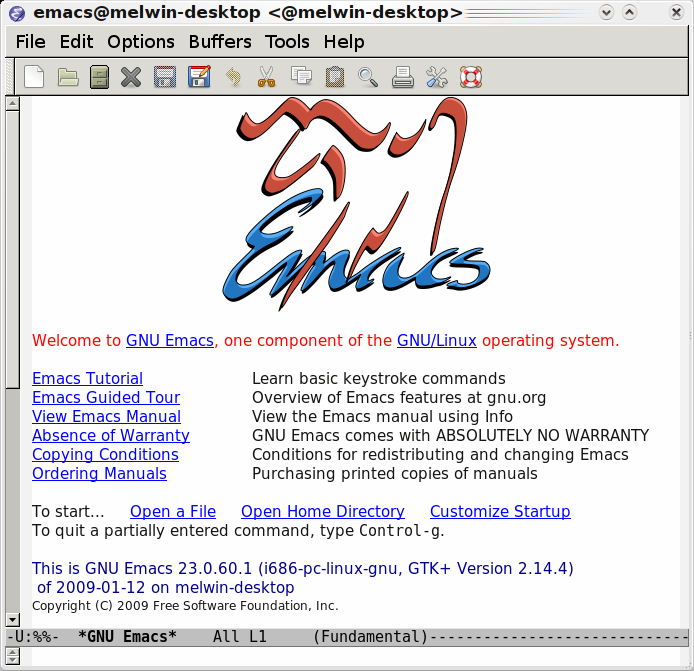
In this series of posts I will guide you, the humble reader, through the install procedure to get a development environment for Ioke up and running. All the cool kids want to develop in Ioke nowadays, so let’s make you can as well!
The components we will be installing are:
These instructions are written for a non-expert who might not have too much experience with compiling things, using Git or Emacs. If you’re an expert you will find nothing new or exciting here! The environment I use is a freshly installed Kubuntu Intrepid Ibex box, although most of it should be similar, if not identical, to other Ubuntu/Debian based distributions.
The components listed above will all be installed manually - not using the package system. This is to allow us to get the freshest versions of what we need without depending on the packages in the distribution to be updated (or hunted down in alternative repositories). The only thing we will install from the distribution are the compilers, tools and development libraries used to compile the software.
Why do we not use the package system? Well, that’s a valid question. Most of the above can be installed from packages in custom repositories. It’s simple and convenient. However here we will not use if for two reasons:
- If packages are used we will depend on the repositories to be updated to use the latest version of some software, which can be annoying if we want to develop on the bleeding edge.
- It’s good to know how to compile things yourself - so by not using prepared packages we might learn something!
To keep control over our custom built software we’ll install it in dedicated directories under $HOME/opt instead of in the normal locations like /usr/bin. This allows us to get everything installed without needing root access (except to install the compilers etc from the distribution).
First Step
Don’t Panic!
Always sound advice to start with - especially if you are hitchhiking. I’m going to try to cover each step in detail, but if you think something is unclear - just leave a comment and I’ll try to clarify. So - grab your towel and let’s get going!
Install Git
For Emacs, emacs-starter-kit and Ioke we will use Git to retrieve the sources. Therefore the first thing we need to install is Git.
In the command line instructions below, all lines prefixed by the prompt <dir>$ are commands to be typed in. The rest are output or my comments.
Open a terminal window and create a new work directory under your home using the following instructions. In this directory we will work with downloaded source files and build the software.
~$ mkdir ~/work
~/work$ cd ~/work
~/work$ wget -O - http://kernel.org/pub/software/scm/git/git-1.6.1.tar.bz2 | tar xjv
... many lines...
The last command downloads the git source package and expands it in one go by piping it directly from wget to tar, which is told to expand it using bz2 with the j parameter. This is a convenient way to get packages off the net and unpacked, especially when there is no need to keep the package itself around.
The result is that we now have a git-1.6.1 directory in the work directory. Let’s see how we compile it:
~/work$ cd git-1.6.1/
~/work/git-1.6.1$ head INSTALL

                Git installation

Normally you can just do "make" followed by "make install", and that
will install the git programs in your own ~/bin/ directory.  If you want
to do a global install, you can do

        $ make prefix=/usr all doc info ;# as yourself
        # make prefix=/usr install install-doc install-html install-info ;# as root

~/work/git-1.6.1$
So - two commands. Simple enough! However, before we compile - we need to make sure all the relevant packages are installed:
~/work/git-1.6.1$ sudo apt-get install libcurl4-openssl-dev zlib1g-dev libexpat-dev tk8.5 asciidoc docbook2x
Depending on your internet connection, this could take quite a while, as we need to download the texlive distribution, among other things, to build all of the Git documentation. This is not strictly necessary, but here we’ll just do it for completeness’ sake.
Let’s build git and make sure it’s installed under our $HOME/opt directory as we said in the beginning:
~/work/git-1.6.1$ make prefix=~/opt/git-1.6.1 all doc info
... lots of lines...
Compiling Git will take some time as well. Go get a coffee (or perhaps a Pan Galactic Gargle Blaster - sweet like nectar).
Once the compile is done - install it. Note that we don’t need to do this as root as we’re installing under the user home directory:
~/work/git-1.6.1$ make prefix=~/opt/git-1.6.1 install install-doc install-html install-info
Let’s add it to the user’s path by linking it into the private bin directory. This depends on the standard Ubuntu bash shell profile script which adds ~/bin to the PATH variable. If a different shell is used you need to perform the appropriate steps yourself.
~/work/git-1.6.1$ mkdir ~/bin
~/work/git-1.6.1$ cd !$
~/bin$ ln -s ../opt/git-1.6.1/bin/git
Now close the shell/terminal, open a new one - and try the git command:
~$ git --version
git version 1.6.1
If you get the above output - great! You’re don! Sit back and relax for a bit before moving on to the next section.
However, if you don’t get the version output, but instead see the following message, review the previous instructions and make sure it works ok before continuing.
#INCORRECT OUTPUT - SOMETHING WAS MISSED!
#GO BACK AND REVIEW
~$ git
The program 'git' is currently not installed.  You can install it by typing:
sudo apt-get install git-core
-bash: git: command not found
If you still can’t get it to work - drop me a comment!
Git in 30 Seconds
There are loads of good Git tutorials and information. You can find several on the official Git page and at GitHub (go sign up if you haven’t already, and fork me!).
Here is a quick run through of a few common Git commands you could try out with your freshly brewed cup of Git:
~$ cd
~$ mkdir gittest
~$ cd gittest/
~/gittest$ git init
Initialized empty Git repository in /home/melwin/gittest/.git/
~/gittest$ echo Test file! > test.txt
~/gittest$ git add test.txt
~/gittest$ git commit -m "Initial import."
[master (root-commit)]: created 79c091d: "Initial import."
 1 files changed, 1 insertions(+), 0 deletions(-)
 create mode 100644 test.txt
~/gittest$ echo Add line. >> test.txt
~/gittest$ git diff test.txt
diff --git a/test.txt b/test.txt
index 1cbaf90..3746f9e 100644
--- a/test.txt
+++ b/test.txt
@@ -1 +1,2 @@
 Test file!
+Add line.
~/gittest$ git commit -a -m "Add new line."
[master]: created b20f9a4: "Add new line."
 1 files changed, 1 insertions(+), 0 deletions(-)
If you can follow the above - great! First part finished. Next up is to install GNU Emacs from source and the emacs-starter-kit, which provides a decent default a set of configuration for Emacs.
Stay tuned!
/M
Update: Part 2: Emacs